5 FREE AI Tools to Convert a Document into a PowerPoint Presentation (Step-by-Step Guides)
Viewed 380 times
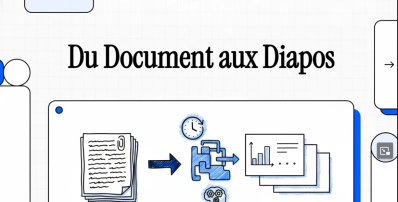
🥇 1. Plus AI (Most Professional)
👉 Plus AI
🔹 How it works:
You upload your document (Word or PDF)
The AI analyzes the structure (headings, paragraphs)
It automatically generates:
- a slide outline
- summarized content
- formatted slides
🔹 What’s great about it:
Excellent for academic content
Respects scientific structure
Clean, ready-to-use slides
⚠️ Limitations:
Limited free version
Sometimes requires Google Slides
💡 Tip for your video:
👉 “The better your document is structured, the better the result will be”
🥈 2. MagicSlides (Easiest)
👉 MagicSlides
🔹 How it works:
Paste your text or upload your file
Choose the number of slides
The tool automatically generates the presentation
🔹 Strengths:
Ultra-fast (less than 1 minute)
Very easy to use (no skills required)
Free basic version available
⚠️ Limitations:
Less accurate for complex scientific content
Summaries can be oversimplified
💡 Tip:
👉 “Perfect for quickly turning a clinical case or article summary into slides”
🥉 3. SlidesAI (Integrated with Google Slides)
👉 SlidesAI
🔹 How to use:
Open Google Slides
Add the SlidesAI extension
Paste your text or document
The AI creates slides instantly
🔹 Advantages:
No need to switch applications
Easy real-time editing
Good balance between simplicity and quality
⚠️ Limitations:
Depends on Google Slides
Design can be basic
💡 Tip:
👉 “Ideal if you want to stay in control and edit quickly”
⚡ 4. PPT.AI (Fast Conversion)
👉 PPT.AI
🔹 How it works:
Upload your file
The tool generates a PowerPoint instantly
You can download the file
🔹 Strengths:
Very fast
Direct PPT export
Automatic templates
⚠️ Limitations:
Less customizable
Sometimes too generic
💡 Tip:
👉 “Use it to save time, then refine your slides afterward”
📄 5. GenPPT (Best for Scientific PDFs)
👉 GenPPT
🔹 How it works:
Upload a PDF
The AI analyzes:
- headings
- tables
- sections
Then generates a structured presentation
🔹 Advantages:
Great for scientific articles
Preserves document logic
Useful for research and theses
⚠️ Limitations:
Results vary depending on PDF quality
Tables may not convert perfectly
💡 Tip:
👉 “Works best with well-structured PDFs (clear headings and sections)”
 These 5 mistakes could make you miss your scholarship in 2026
 Using Artificial Intelligence in Scientific Research
 How to Write a Letter to Ask for or Give Advice: Complete Guide with Examples and Useful Phrases
 Writing an Application Letter for a Job or Training — Sample and Key Phrases
 Steps and list of documents to prepare to get student Visa France
 Writing an Apology Letter: Complete Guide, Structure, and Key Expressions
 Mastering the Art of Writing a Complaint Letter: Complete Guide with Phrases and Examples
 How to write a letter of invitation
 How to find a thesis supervisor in France
 Scholarship in France Eiffel fully funded Bachelor, masters, PhD. Annual Call
 For Phd how to write a Letter of appology to a supervisor or an editor
 Link to 10+ Scholarships in Canada for International Students